PDF · 18 pages
Prompt Guide
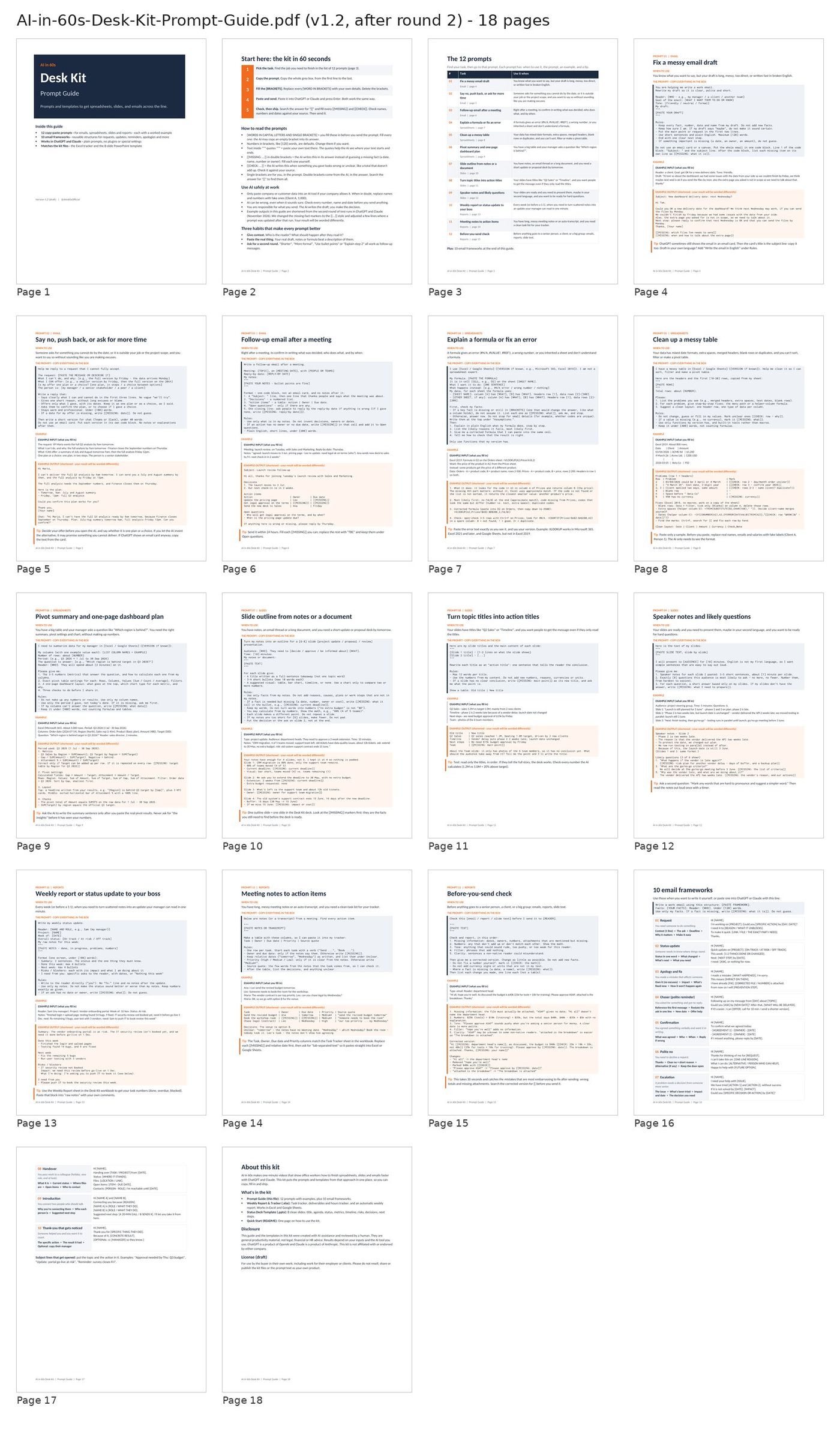
12 prompts, each with: when to use, the prompt, example input, example output, tip. Plus 10 email frameworks and a 60-second start page.
A digital download from AI in 60s
Prompts and templates to get spreadsheets, slides, and emails across the line.
Launch price $15 (regular $19)
For the first 15 days after launch, then $19. One-time purchase.
Buy the Desk KitCopy-paste prompts and ready-made files for the work you do every week: status updates, follow-up emails, messy spreadsheets and update decks. For ChatGPT and Claude. No coding.
You don’t need 1,000 prompts. You need the right 12 for the tasks that eat your week — and files you can actually hand in.
The AI in 60s Desk Kit is built around three things office workers do all the time: spreadsheets, slides and emails. Each prompt tells you when to use it, has [brackets] to fill in, shows a worked example, and includes rules that tell the AI not to invent numbers, names or dates. The Excel tracker and the PowerPoint template are made to work with the prompts, so you go from notes to a finished update without starting from a blank page.
Written in plain English, for people who use English at work but may not speak it as a first language.
PDF · 18 pages
12 prompts, each with: when to use, the prompt, example input, example output, tip. Plus 10 email frameworks and a 60-second start page.
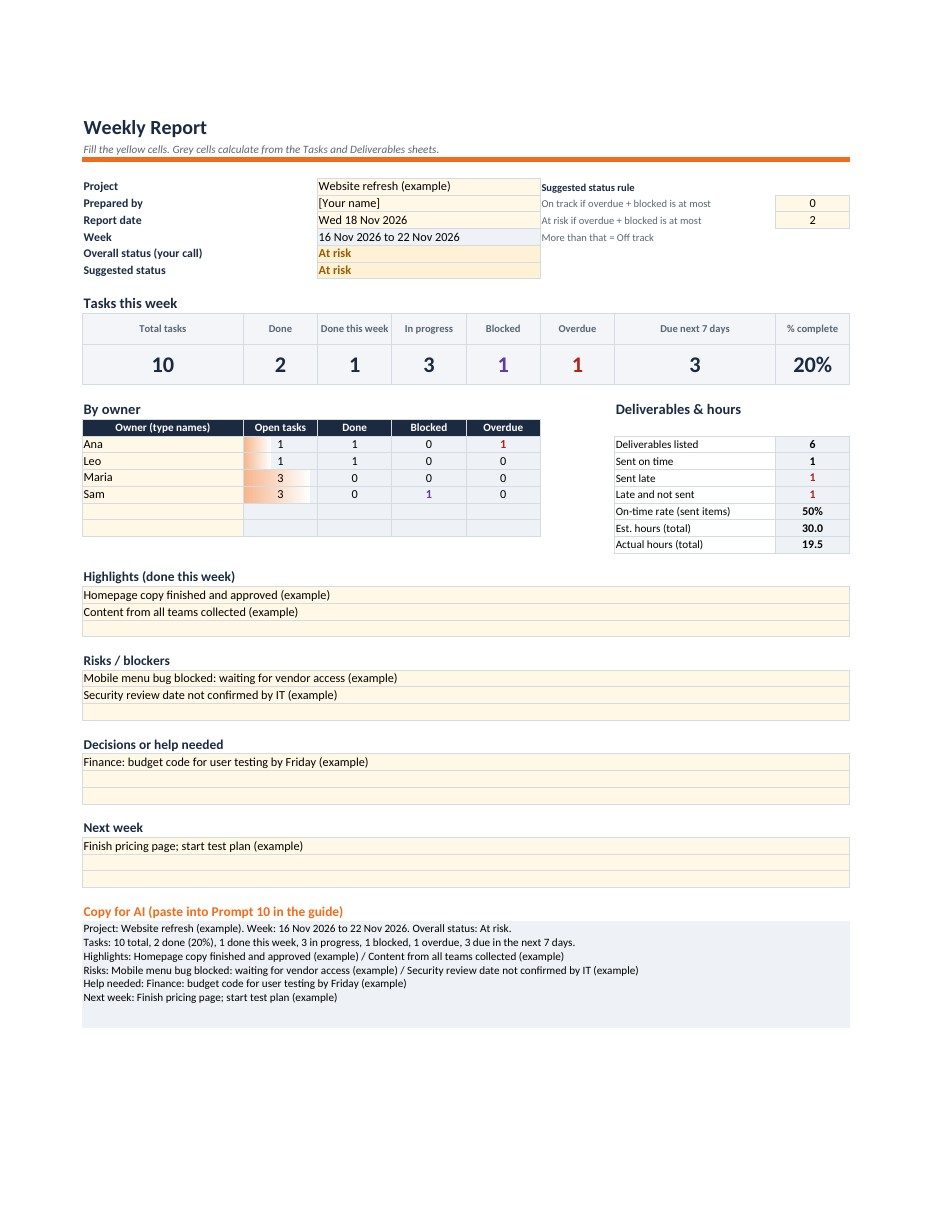
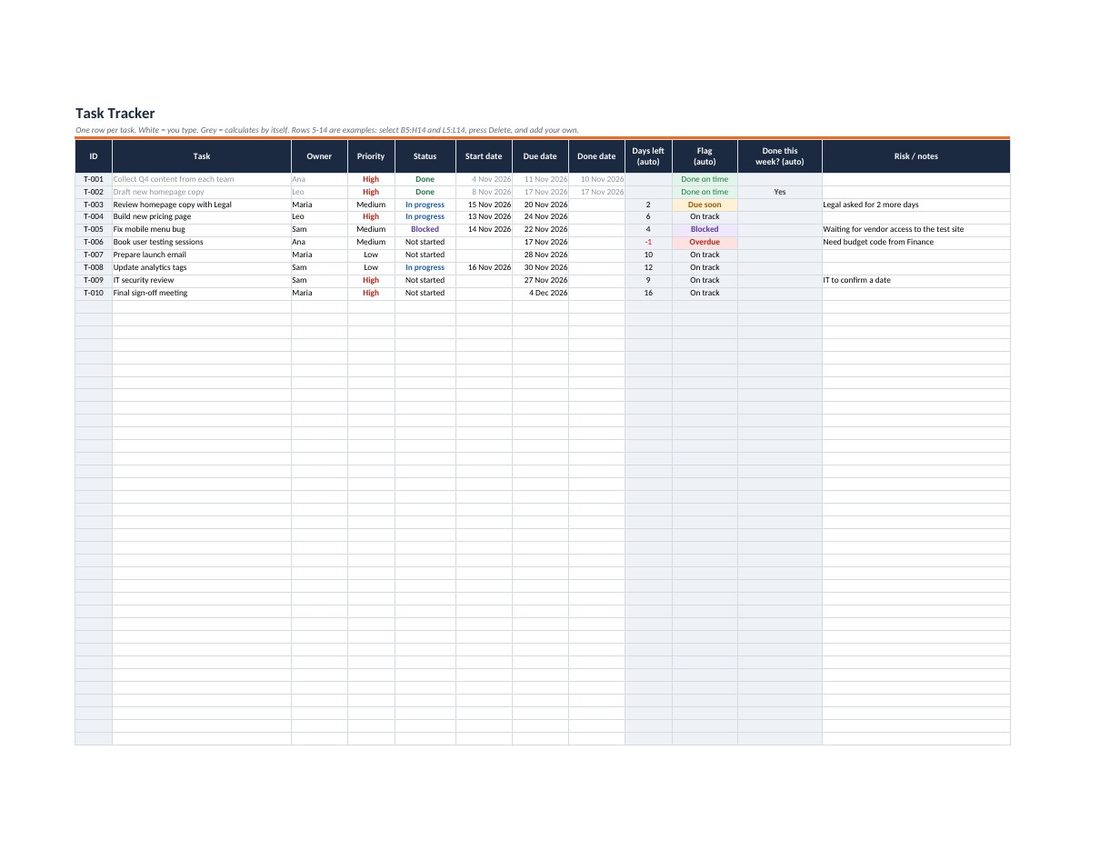
XLSX · 5 sheets
Start Here, Tasks, Deliverables, Weekly Report, and Lists. Dropdowns, conditional formatting, no macros. Example rows included. Works in Excel (Microsoft 365, 2019 or later) and Google Sheets.
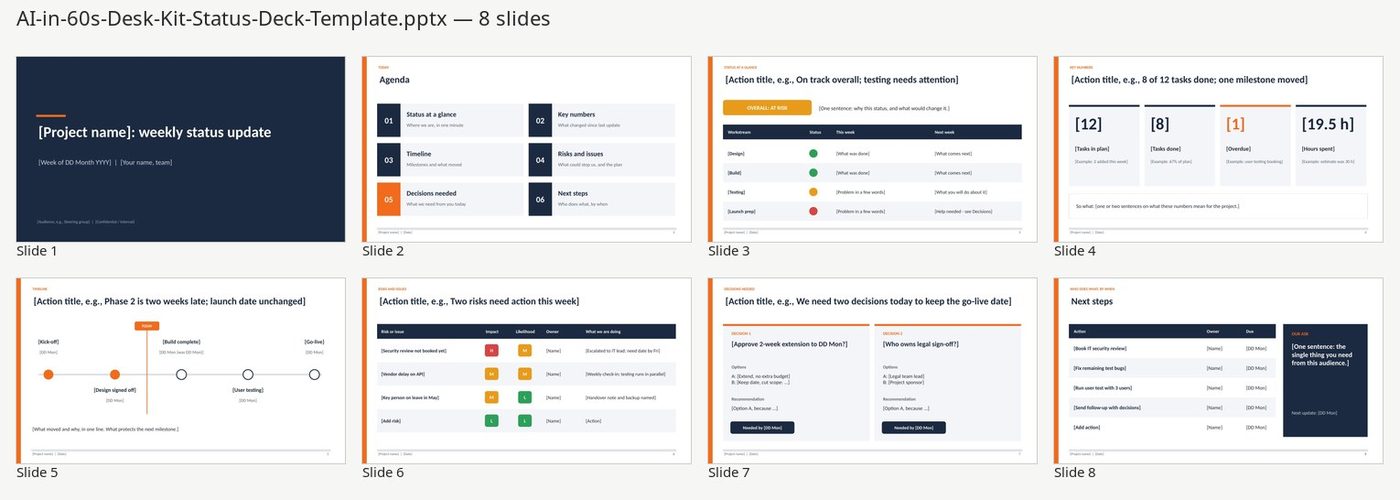
PPTX · 8 slides
8 widescreen slides with placeholder text and speaker notes that point to the matching prompt.
PDF · 1 page
One page: what’s in the kit and a 15-minute weekly routine.
The prompts are plain text, so you can paste them into free or paid versions. Answer quality and limits depend on the plan and model you use.
The prompts were written for ChatGPT and Claude. Plain-text prompts usually work in other chat assistants, but they have not been checked there.
Excel for Microsoft 365, Excel 2019 or later, or Google Sheets. The workbook uses standard formulas only (no macros, no add-ins).
The deck is made for PowerPoint. You can import it into Google Slides or Keynote; check the spacing after import.
That depends on your work and how you use it. The kit gives you tested structures and examples; we don’t promise specific time savings or results.
Follow your company’s rules. The guide shows how to replace real names and numbers with placeholders when you’re not sure.
Yes. You may use and edit the files in your own work. Please don’t resell, share or publish the kit or the prompt text as your own product.
Because this is a digital download, all sales are final. If a file doesn’t open, email us and we’ll fix it. See the refund policy.
Because this is a digital download, all sales are final. If a file doesn’t open, email us and we’ll fix it.
Email support@aiin60s.com. The full policy is on the refunds page.
AI in 60s is a faceless English YouTube Shorts channel that teaches office workers who don’t code how to make spreadsheets, slides, status reports and emails with ChatGPT and Claude. Watch the channel at youtube.com/@AIin60sOfficial.
This kit was created with AI assistance and reviewed by a human. Example data is made up to show the format. Example AI outputs are shortened from the second round of test runs in ChatGPT and Claude (November 2026), with small edits where a prompt changed afterwards; your results will be worded differently. ChatGPT is a product of OpenAI and Claude is a product of Anthropic; this kit is not affiliated with or endorsed by either company.
Launch price $15 (regular $19)
For the first 15 days after launch, then $19. One-time purchase.
Buy the Desk Kit